





01

Start with your idea.
A prompt, a reference, a project already in your conversation.
YOUR ASSISTANT. YOUR VIDEO STUDIO.
Keep the project in your conversation. Your assistant helps prepare one clip; MaxVideoAI provides the exact quote. Approve it, then retrieve the completed video in your library. Choose your host to see its setup and limits.
Claude Desktop · Controlled test · Staging · 2026-08-26
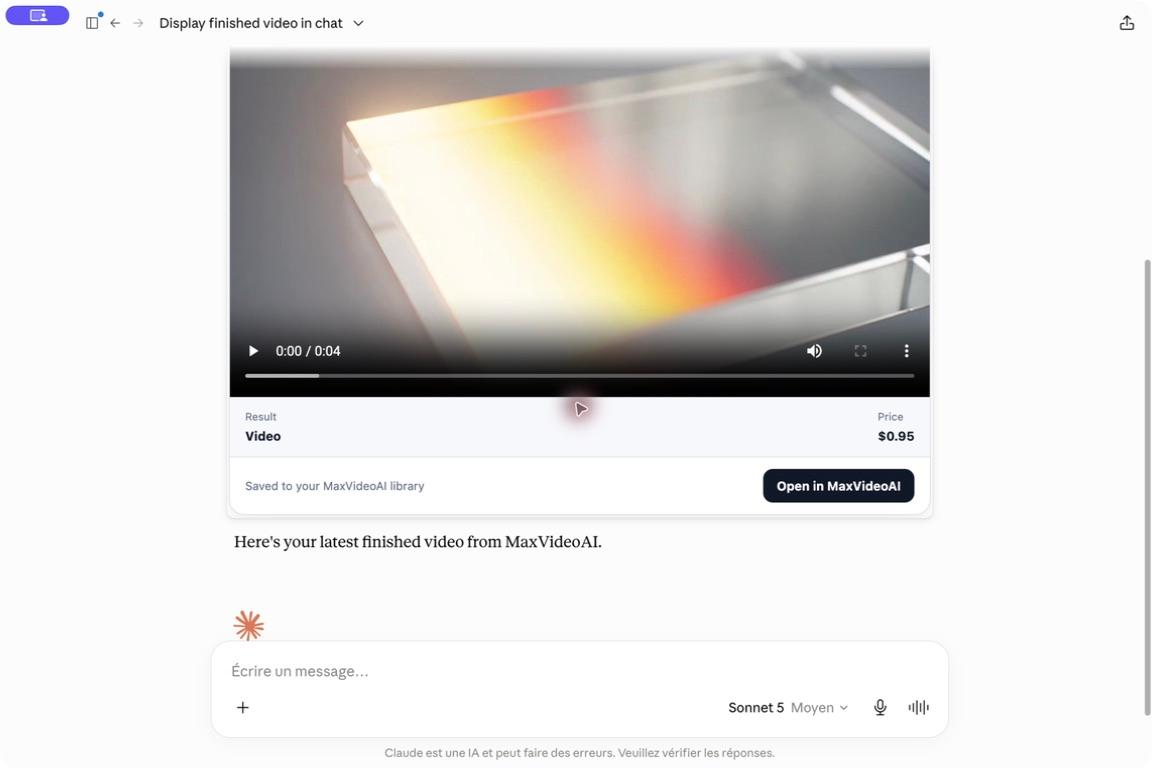
A completed MaxVideoAI video displayed inline in Claude Desktop during a controlled staging test. The result is saved to the connected MaxVideoAI library. The $0.95 shown is the amount recorded for this capture, not a current quote.
Pay for generation from your MaxVideoAI wallet after approval. No additional MaxVideoAI subscription. Assistant plans and account requirements vary by host.
CONNECT YOUR WAY
Choose your assistant or automation tool. Each integration has its own setup guide and availability details.
Build on the ideas in your conversation.
Claude Web Free tested with limitsSetup guideAdd AI video to your project in ChatGPT.
ChatGPT Pro tested with limitsSetup guideCreate assets alongside your code.
Codex CLI tested · plugin availableSetup guideGive your agent a video creation workflow.
Tested with limits · ClawHub skill availableSetup guideConnect briefs, approvals and video jobs.
Self-hosted 2.38.7 · manual setupSetup guideMore clients are being evaluated. Setup is not published yet.
FROM THE IDEA TO THE FINAL FILE
MaxVideoAI is a remote MCP server for AI video and image generation. It connects compatible assistants to current models, quotes and the media in your account.
A prompt, a reference, a project already in your conversation.
Choose the model, duration and resolution. Approve the exact quote before generation.
Find the finished video in your MaxVideoAI library. Display in chat depends on your client.
MADE WITH AN ASSISTANT
Build the story in the conversation. Your assistant can generate the shots through MaxVideoAI and handle the edit with its own tools. These Codex productions show the result without the creator opening an editing application.
A fictional yellow backpack becomes the star of six shots, a character reaction and a visual punchline. Direct the idea in the conversation; let the assistant shape the film.
Image and video sources generated through MaxVideoAI MCP. The assistant selected the shots and handled the edit, titles and sound. The product is fictional.
Music: “Funkorama” by Kevin MacLeod. Excerpted, mixed and faded for this film. Kevin MacLeod · CC BY 4.0
An oversized purple hat sets a small commercial in motion. Spoken lines, character reactions and physical action come together in one edited scene.
Created in Codex desktop with Wan 3 dialogue shots and MiniMax H3 action through MaxVideoAI MCP. The assistant assembled the film, captions and sound using its editing tools.
A fictional performer, an original track and a bright daytime setting become a short music video. The assistant carries the idea from individual shots to the final rhythm.
Kling shots generated through MaxVideoAI MCP. Music was composed by the assistant with local tools; the assistant also edited and mixed the film. The music was not a generation input.
CONNECTED, WITH YOUR PERMISSION
Authorization opens on MaxVideoAI. Do not paste a password, API key or payment details into the conversation.
A recommendation or budget does not start a paid generation. Review the settings and exact quote before confirming.
Remove the integration from your assistant and revoke its authorization in your MaxVideoAI account.
YOUR FIRST VIDEO
Once MaxVideoAI is connected, paste this request into the conversation where you are preparing your site, product or campaign.
Use the project we are working on to propose a short launch video with MaxVideoAI. Compare two suitable, currently available models, including their trade-offs and prices for the proposed settings. Ask me for any missing context or references. Wait for my choice, then my approval of the exact quote, before generating anything.
Planning is free on MaxVideoAI. Generation uses your MaxVideoAI credits after you approve the exact price.
MCP · MAXVIDEOAI
Capability review :
MCP is the shared connection protocol. Claude calls its connection a custom connector. ChatGPT adds a custom MCP server as a private plugin. Codex offers a plugin, OpenClaw a skill, and n8n a workflow using MCP Client nodes. Installation and account requirements differ.
No public directory listing is claimed. Use Plugins to add a custom MCP server. OpenAI documents full MCP write support for eligible Business, Enterprise or Edu workspaces. On 19 October 2026, our tested Pro account also connected privately, prepared a quote and recovered an existing result. New paid generation was not tested; availability remains account-dependent.
The approved public n8n template 19591 is available. Configure OAuth manually and use the tested self-hosted n8n 2.38.7 MCP Client workflow. Review a fresh quote, obtain human approval for that exact quote, then confirm generation. n8n Cloud and AI Agent invocation have not been validated here. Check the template on n8n.
MCP supports text-to-image and image editing when the selected model and environment allow it. Audio references and audio-driven video depend on the video model. Voice-over uses the separate Audio tools: check current availability, review the exact quote and approve before generation. Finished montage creation is not publicly available through this MCP integration; the assistant can edit with its own tools, as the Codex examples show.
Yes, when the selected model and mode support them. The assistant can select an existing private MaxVideoAI asset or open a secure upload handoff; MaxVideoAI returns the allowed kinds, roles, order and limits.
If the balance is too low, the assistant can open a secure MaxVideoAI top-up page for the missing amount. Payment stays on MaxVideoAI. After funding, it checks the balance and prepares a fresh quote because the previous quote has expired.
Completed images and videos are saved to the connected MaxVideoAI account and remain available in its private media library. The assistant can recover recent jobs and return the official library or workspace destination.
Remove MaxVideoAI from the assistant, then revoke the saved grant in MaxVideoAI account connections. A later protected action will require a new browser approval.

