
Happy Horse 1.0 camera movement example: studio push-in
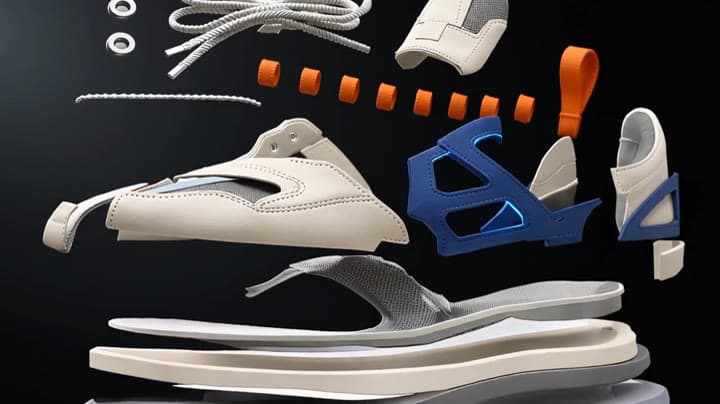
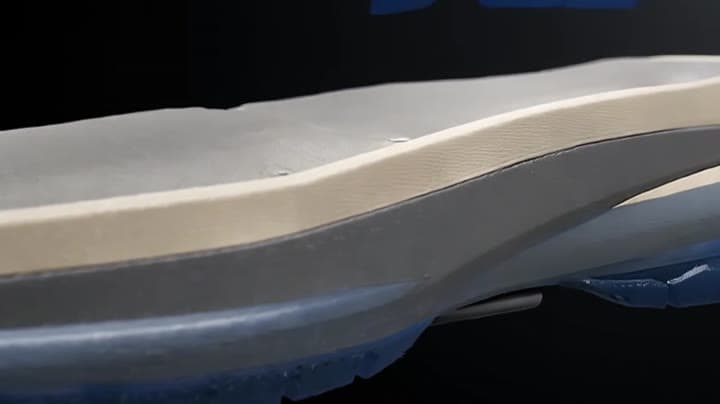
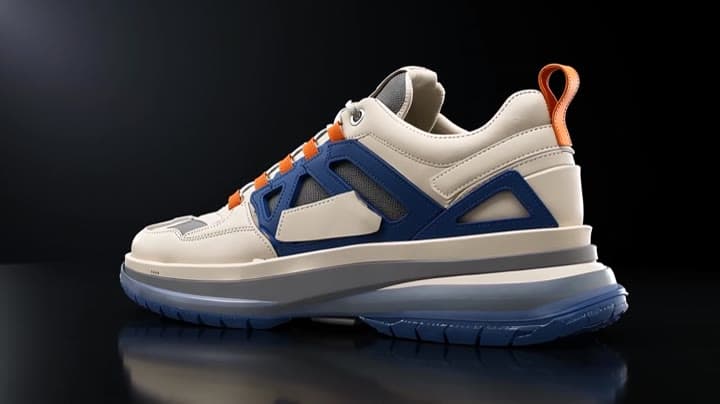
This Happy Horse 1.0 reference to video example shows studio push-in. It highlights reference images and audio-enabled output with 10-second timing · 16:9 · 720p output.
Prompt breakdown
Prompt used to generate this render.
Reference roles if supplied: @Image1 anchors the final colored concept sneaker identity, stylized silhouette, asymmetric panel geometry, color blocking, layered sole, lace routing and blank branding zone. @Image2 anchor…Show full promptHide full prompt
Reference roles if supplied: @Image1 anchors the final colored concept sneaker identity, stylized silhouette, asymmetric panel geometry, color blocking, layered sole, lace routing and blank branding zone. @Image2 anchors the separated shaped components: ivory leather, cobalt side cage, graphite mesh, orange lace loops, heel counter, stitching, laces, eyelets and smoked-blue sole pieces. Create a 10-second 16:9 premium sneaker product ad in a dark neutral studio. The shoe assembles from raw materials through precise motion-design beats, ending as the same finished unbranded sneaker from @Image1. [0-2s] Macro opening: ivory leather panels, cobalt side cage pieces, graphite mesh, orange lace loops, stitching thread, laces and smoked-blue sole layers float separately in clean negative space. Camera: locked macro, shallow depth of field. Lighting: soft white strip light, crisp colored edge highlights. [2-5s] The sole builds first: translucent smoked-blue outsole and three sculpted midsole layers slide together and compress into one architectural sole. Stitching traces a clean seam. [5-8s] The upper forms: ivory panels, cobalt asymmetric cage, split toe overlay, graphite mesh windows and sculpted heel counter fold above the sole; orange lace loops lock in and laces thread through. Keep the geometry stable and clearly stylized. [8-10s] Final hero beat: the finished sneaker lands softly on a dark reflective studio surface and makes a slow quarter turn. Camera: slow controlled push-in only. Final frame shows the complete shoe in a clean premium ad pose. Audio: soft material swishes, precise stitching ticks, rubber layer snap, lace pull, final soft bass hit. Continuity: final shoe must match @Image1; materials must match @Image2; keep one shoe only, stable ivory/cobalt/graphite/orange/smoked-blue palette, architectural sole, asymmetric panels, clean blank branding zone. Constraints/Post: no logos, no readable text, no captions, no extra shoes, no melting material, no chaotic particle cloud; add model chips and any branding in edit.
Workflow
Reference to video
Camera
Push In
Output
10s · 16:9 · 720p
Recorded render cost
$1.73
Audio
Enabled
Constraints
Reference To Video, Audio Enabled, Reference Images
Reference images
2
Prompt improvement notes
Note 1
Keep the subject, camera move, lighting, duration, aspect ratio and audio requirement grouped so the render has one clear production brief.
Note 2
Change one variable at a time when cloning this prompt: model, duration, camera motion or reference input. That makes quality and price differences easier to compare.
Note 3
Add a short negative prompt if you need to block text overlays, logos, distorted hands, face warping or unwanted camera shake.
Compare this model
Review this example beside nearby engines before choosing a render path.
Why Happy Horse 1.0 fits this shot
Use Happy Horse 1.0 on MaxVideoAI as the legacy Alibaba video-edit route while new text, image, and reference workflows move to Happy Horse 1.1.
Image input
Audio option
Motion controls
Key frames
Related examples
View all examples Seedance 2.0
Seedance 2.0 action chase camera path example with map reference
This Seedance 2.0 text-to-video with map reference example uses an escape route image to guide a cinematic action chase sequence. The video follows a planned route through an urban environment with fast vehicle motion, helicopter pursuit energy, camera path control, dramatic pacing and native audio. Use it as a reference for AI action movie prompts, route-guided camera movement, chase scene planning and map-to-video style workflows.
 Seedance 2.0
Seedance 2.0 FPV drone flight path map-to-video example
This Seedance 2.0 text-to-video with visual reference example turns a drawn route on a surreal landmark map into a cinematic FPV drone flythrough. The sequence follows a planned camera path through a mega-city filled with famous monument-inspired architecture, using smooth banking turns, altitude changes, strong parallax and continuous forward motion. Use it as a reference for AI camera path prompts, FPV drone video examples, route-guided camera movement and map-to-video style workflows.
 Kling 3 Pro
Kling 3 Pro neon street multi-shot example
This Kling 3 Pro example demonstrates a multi-shot neon street sequence with rain reflections, native audio and structured scene anchors.
 Kling 3 Standard
Kling 3 Standard rainy neon street multi-shot example
This Kling 3 Standard page shows a rainy neon street prompt with multi-shot structure, audio-enabled pacing and cinematic reflections.