
Happy Horse 1.0 camera movement example: city tracking
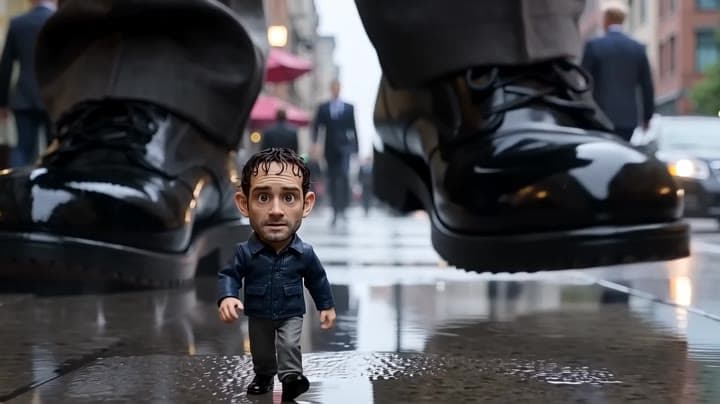
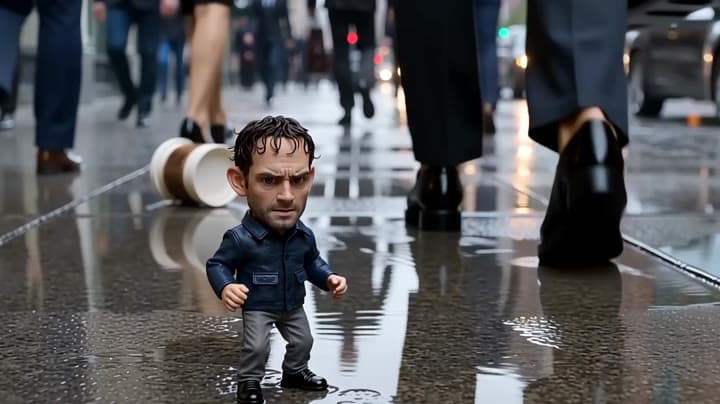
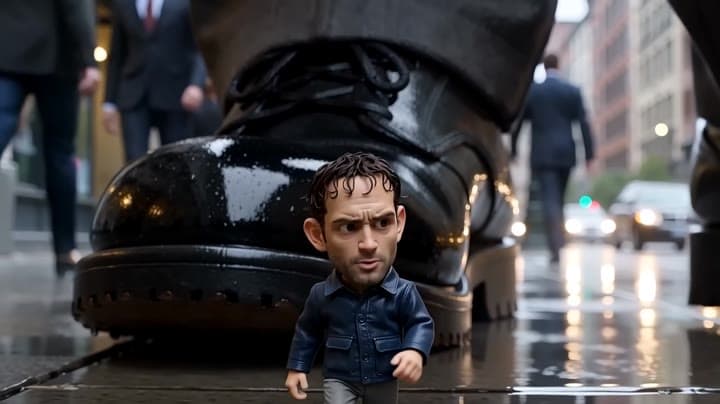
This Happy Horse 1.0 text to video example shows city tracking. It highlights audio-enabled output and camera motion control with 10-second timing · 16:9 · 720p output.
Prompt breakdown
Prompt used to generate this render.
Create a 10-second cinematic video in 16:9. A realistic tiny man, only 10 centimeters tall, walks through a busy city sidewalk at ground level during a rainy morning rush hour. He looks like a real adult man in his late…Show full promptHide full prompt
Create a 10-second cinematic video in 16:9. A realistic tiny man, only 10 centimeters tall, walks through a busy city sidewalk at ground level during a rainy morning rush hour. He looks like a real adult man in his late 30s, slightly tired, messy dark hair, light stubble, wearing a dark blue jacket, gray trousers, and small black shoes. He is not cartoonish. He is a real miniature human. The camera is extremely low, at his height, tracking backward in front of him as he struggles to walk across the wet pavement. The world around him feels enormous: giant shoes, trouser legs, umbrellas, rolling coffee cups, puddles, reflections, shopping bags, and city noise. Pedestrians are normal-sized adults walking fast above and around him. They mostly do not notice him. He walks as if being tiny is annoyingly normal for him, like he simply woke up on the wrong side of the bed. He is nervous, irritated, and slightly panicked, but also trying to stay composed. He looks up at the huge pedestrians and waves his arms, trying to get their attention. Action beats: 0–3s: The tiny man walks carefully between giant shoes on the wet sidewalk. A huge sneaker lands close to him and splashes water beside his face. 3–6s: He dodges a rolling paper coffee cup, stumbles, regains balance, and looks up angrily at a passerby. 6–8s: He raises both hands and shouts upward, trying not to be stepped on. 8–10s: A giant shoe stops just inches in front of him. He freezes, looks up, breathes hard, then keeps walking with annoyed determination. Dialogue: The tiny man says in English, breathless and irritated: “Hey! Watch it! I’m walking here!” Then, after almost being stepped on, he mutters: “Great. Perfect morning.” Audio: Use natural city ambience, footsteps, rain on pavement, distant traffic, soft crowd noise, splashing water, and a small voice that sounds realistic but tiny. Dialogue must be clear and synchronized with his mouth. Visual style: Realistic scale contrast, cinematic macro perspective, shallow depth of field, wet pavement reflections, natural human motion, believable miniature human body movement, subtle handheld camera, playful tension, premium short-film look. Important: Make the tiny man look like a real human, not a toy, not a child, not a cartoon character. Keep him visually consistent throughout the whole clip. Show his fear and irritation through facial expressions and body language. The scene should feel funny but realistic.
Workflow
Text to video
Camera
Tracking
Output
10s · 16:9 · 720p
Recorded render cost
$1.82
Audio
Enabled
Constraints
Text To Video, Audio Enabled, Tracking
Prompt improvement notes
Note 1
Keep the subject, camera move, lighting, duration, aspect ratio and audio requirement grouped so the render has one clear production brief.
Note 2
Change one variable at a time when cloning this prompt: model, duration, camera motion or reference input. That makes quality and price differences easier to compare.
Note 3
Add a short negative prompt if you need to block text overlays, logos, distorted hands, face warping or unwanted camera shake.
Compare this model
Review this example beside nearby engines before choosing a render path.
Why Happy Horse 1.0 fits this shot
Use Happy Horse 1.0 on MaxVideoAI as the legacy Alibaba video-edit route while new text, image, and reference workflows move to Happy Horse 1.1.
Image input
Audio option
Motion controls
Key frames
Related examples
View all examples Kling 3 Pro
Kling 3 Pro Mars terraforming sci-fi video example
This Kling 3 Pro watch page shows a 16:9 text-to-video sci-fi terraforming scene on Mars, using a dolly-in, slow orbit and dramatic red-to-green landscape transformation.
 Seedance 2.0
Seedance 2.0 miniature bedroom skateboard chase video example
This Seedance 2.0 text-to-video with audio example turns a children’s bedroom into a cinematic macro-scale chase sequence. A tiny skateboard rider races through oversized toy blocks, books, furniture, a rolling toy ball and a closing toy box, while the camera stays low to the floor in a fast continuous tracking shot. Use it as a reference for AI text-to-video camera movement, miniature world prompts, toy-scale action scenes and whimsical cinematic chase videos.
 Kling 3 Pro
Kling 3 Pro neon street multi-shot example
This Kling 3 Pro example demonstrates a multi-shot neon street sequence with rain reflections, native audio and structured scene anchors.
 Google Veo 3.1 Fast
Veo 3.1 Fast FPV apartment commercial example
This Veo 3.1 Fast example uses an FPV-style camera move to reveal a staged apartment commercial with sound and polished lighting.