
Veo 3.1 Fast FPV apartment commercial example
This Veo 3.1 Fast example uses an FPV-style camera move to reveal a staged apartment commercial with sound and polished lighting.
Prompt breakdown
Prompt used to generate this render.
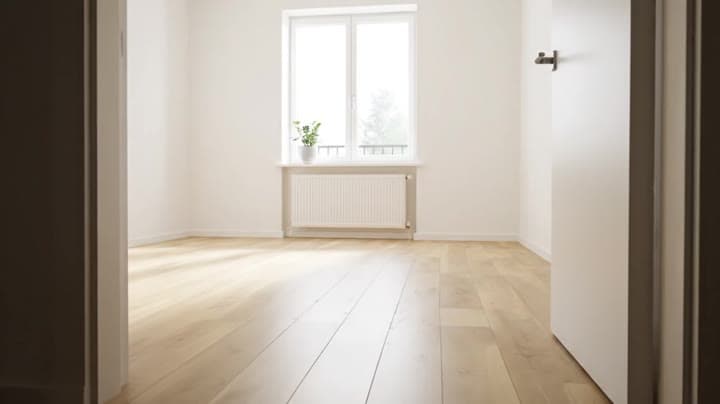
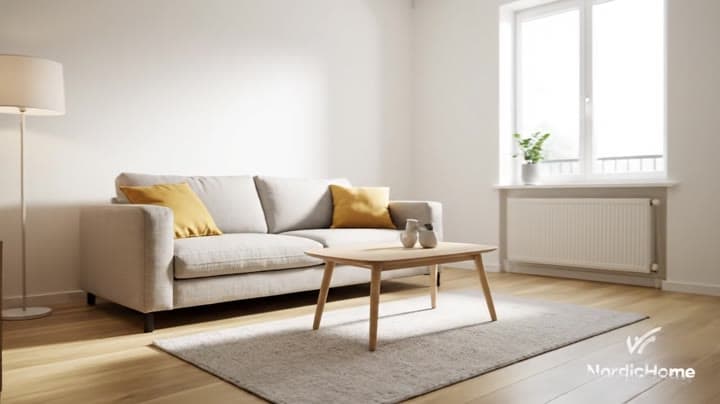
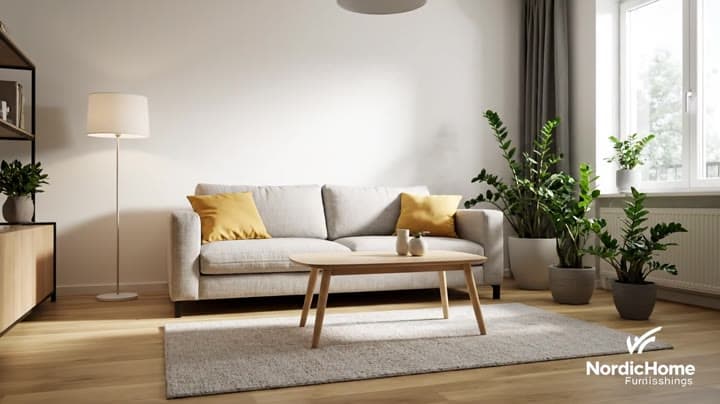
Cinematic 8-second TV commercial in 16:9 with sound. From a tiny FPV-style camera flying indoors, we explore a bright, modern apartment. At the beginning, the living room is almost completely empty: just bare wooden flo…Show full promptHide full prompt
Cinematic 8-second TV commercial in 16:9 with sound. From a tiny FPV-style camera flying indoors, we explore a bright, modern apartment. At the beginning, the living room is almost completely empty: just bare wooden floor, white walls and a large window with soft daylight. The camera flies in low through the doorway, hugging the floor, then rises and curves around the room in one continuous move. As the camera sweeps through the space, the apartment magically “assembles” itself in sync with the motion and the music: a rug rolls out under the camera, a sofa slides into place, cushions appear, a coffee table drops in, a floor lamp pops up and turns on, plants fade in beside the window. Furniture arrives with smooth, physical motion, not particle effects, as if an invisible crew was working at super speed. By the end of the 8 seconds, the camera eases into a perfectly composed wide shot of the finished living room: warm, cozy, Nordic-inspired, with soft morning light streaming in. The logo of a modern home brand appears subtly in the bottom corner for the last second, with no other text. Audio: a clean, upbeat indie-electronic track that builds as the room assembles, with light whooshes and soft “thump” sounds as each piece of furniture lands in place. No voiceover.
Workflow
Text to video
Camera
Drone
Output
8s · 16:9
Recorded render cost
$4.16
Audio
Enabled
Constraints
Text To Video, Audio Enabled, Drone
Prompt improvement notes
Note 1
Keep the subject, camera move, lighting, duration, aspect ratio and audio requirement grouped so the render has one clear production brief.
Note 2
Change one variable at a time when cloning this prompt: model, duration, camera motion or reference input. That makes quality and price differences easier to compare.
Note 3
Add a short negative prompt if you need to block text overlays, logos, distorted hands, face warping or unwanted camera shake.
Compare this model
Review this example beside nearby engines before choosing a render path.
Why Google Veo 3.1 Fast fits this shot
Veo 3.1 Fast now handles quick prompts, image-to-video, 8s reference mode with 1-4 stills, first/last transitions, and extend runs with optional audio.
Text prompts
Reference mode
Audio option
Key frames
Related examples
View all examples Google Veo 3.1 Fast
Veo 3.1 Fast studio interview push-in example
This Veo 3.1 Fast watch page shows a studio interview prompt with a controlled push-in camera move, native audio and documentary-style staging.
 Google Veo 3.1 Fast
Veo 3.1 Fast living room TV commercial example
This Veo 3.1 Fast watch page shows a bright living-room TV commercial prompt with native audio, controlled staging and a 16:9 ad format.
 Kling 3 Pro
Kling 3 Pro futuristic city drone flythrough example
This Kling 3 Pro example demonstrates a futuristic city flythrough with continuous drone-style motion and a seamless interior transition.
 Kling 3 Pro
Kling 3 Pro Mars terraforming sci-fi video example
This Kling 3 Pro watch page shows a 16:9 text-to-video sci-fi terraforming scene on Mars, using a dolly-in, slow orbit and dramatic red-to-green landscape transformation.