
Happy Horse 1.0 camera movement example: studio push-in
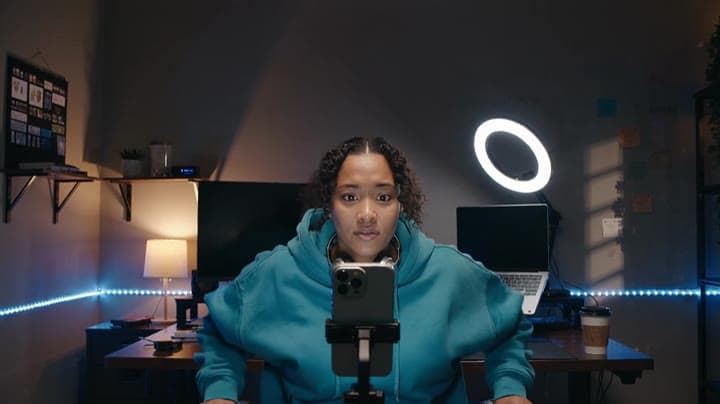
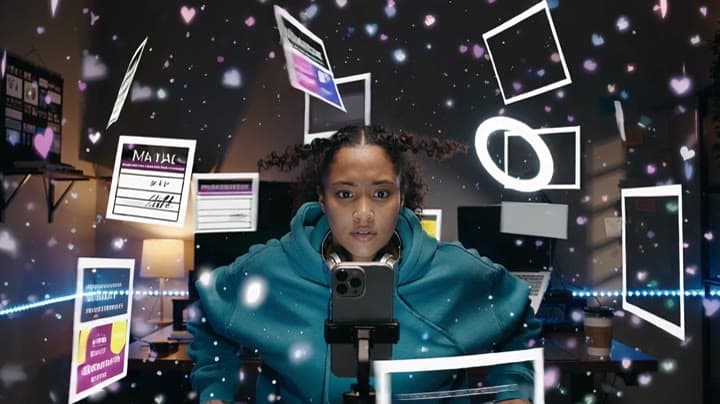
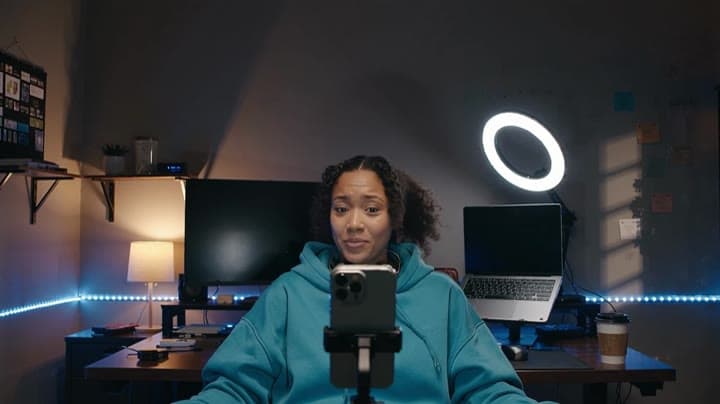
This Happy Horse 1.0 text to video example shows studio push-in. It highlights audio-enabled output and camera motion control with 10-second timing · 16:9 · 720p output.
Prompt breakdown
Prompt used to generate this render.
Text-to-video only. Create a 10-second 16:9 cinematic TikTok-native comedy with native audio. Maya is an original fictional creator, late-20s, medium-dark curly hair tied loosely, teal oversized hoodie over black tee, s…Show full promptHide full prompt
Text-to-video only. Create a 10-second 16:9 cinematic TikTok-native comedy with native audio. Maya is an original fictional creator, late-20s, medium-dark curly hair tied loosely, teal oversized hoodie over black tee, small silver headphones around her neck. She works alone at a desk in a dark creator bedroom studio: phone on tripod, blank laptop screen, ring light, soft LED strips, coffee cup, small shelf, warm lamp. No real app UI or platform logo. [0-2s] Medium shot. Maya stares at her phone, tired and focused, then says clearly: "Make it unskippable." [2-5s] The phone blasts open with a controlled explosion of blank vertical video panels, empty comment bubbles, heart-shaped particles, storyboard cards, preview frames and creator-tool shapes. They swirl around the room like a living feed, no readable text. [5-8s] Maya is pulled forward through a fast vertical-feed tunnel made of flipping panels, reaction faces, blank comparison cards, character thumbnails and motion-design shapes. Keep her same face, teal hoodie and headphones consistent. [8-10s] The feed collapses back into the phone and throws Maya into her chair. Hair slightly static, hoodie ruffled, exhausted but amused. She breathes out and says: "Okay... post that." Audio: off-screen narrator says, "Maya asked for one idea. The feed gave her the whole internet." Add punchy electronic music, UI whooshes, phone burst, suction, chair hit, soft room reverb. Dialogue clear. Camera: fast push-in, feed-tunnel forward motion, snap back to desk; readable, not shaky. Avoid: readable text, subtitles, platform logos, app UI, real creator likeness, extra people, distorted face or hands.
Workflow
Text to video
Camera
Push In
Output
10s · 16:9 · 720p
Recorded render cost
$1.73
Audio
Enabled
Constraints
Text To Video, Audio Enabled, Push In
Prompt improvement notes
Note 1
Keep the subject, camera move, lighting, duration, aspect ratio and audio requirement grouped so the render has one clear production brief.
Note 2
Change one variable at a time when cloning this prompt: model, duration, camera motion or reference input. That makes quality and price differences easier to compare.
Note 3
Add a short negative prompt if you need to block text overlays, logos, distorted hands, face warping or unwanted camera shake.
Compare this model
Review this example beside nearby engines before choosing a render path.
Why Happy Horse 1.0 fits this shot
Use Happy Horse 1.0 on MaxVideoAI as the legacy Alibaba video-edit route while new text, image, and reference workflows move to Happy Horse 1.1.
Image input
Audio option
Motion controls
Key frames
Related examples
View all examples Kling 3 Pro
Kling 3 Pro Mars terraforming sci-fi video example
This Kling 3 Pro watch page shows a 16:9 text-to-video sci-fi terraforming scene on Mars, using a dolly-in, slow orbit and dramatic red-to-green landscape transformation.
 Kling 3 Pro
Kling 3 Pro neon street multi-shot example
This Kling 3 Pro example demonstrates a multi-shot neon street sequence with rain reflections, native audio and structured scene anchors.
 Seedance 2.0
Seedance 2.0 miniature bedroom skateboard chase video example
This Seedance 2.0 text-to-video with audio example turns a children’s bedroom into a cinematic macro-scale chase sequence. A tiny skateboard rider races through oversized toy blocks, books, furniture, a rolling toy ball and a closing toy box, while the camera stays low to the floor in a fast continuous tracking shot. Use it as a reference for AI text-to-video camera movement, miniature world prompts, toy-scale action scenes and whimsical cinematic chase videos.
 Google Veo 3.1 Fast
Veo 3.1 Fast FPV apartment commercial example
This Veo 3.1 Fast example uses an FPV-style camera move to reveal a staged apartment commercial with sound and polished lighting.